The 5:40 a.m. call: the code looks like the problem
At 5:40 a.m., a facility manager calls. A Factory Cat MAG HD (the model people often search as factory cat mag hd) stopped mid-aisle with an error code. They've already opened the CT51 floor scrubber manual and searched factory-cat error codes. They think it's a sensor. It usually isn't.
I coordinate emergency parts and service for industrial floor scrubbers. I've handled 200+ rush orders in 8 years, including same-day turnarounds for food plants and distribution centers. When I'm triaging a rush order, the first question isn't 'What part do you need?' It's 'What was the machine doing when the code appeared?'
Here's the thing: an error code is a clue, not a diagnosis. The code tells you where the machine noticed a problem. It doesn't tell you why.
The deep problem: error codes are downstream of operating conditions
It took me three years and about 150 service calls to understand that most Factory Cat error codes aren't about the component named in the manual. They're about what happened upstream.
Consider a Factory Cat MAG HD throwing a brush motor fault. The manual says check the brush motor. A technician replaces the motor. Two days later, the same code returns. Why? Because the real issue was a worn floor scrubber attachment—a pad driver that wasn't seated correctly, or a brush with the wrong bristle stiffness for the floor. The motor was working harder than it should. The code was just the messenger.
Same with a vacuum/float error. On a CT51 floor scrubber, the manual might point to the float switch. But if you're using too much chemical or the wrong defoamer, foam hits the sensor. You replace the switch. The foam comes back. The code comes back.
Battery voltage is another one. Under load, a weak battery can sag below threshold. The machine throws a drive or controller code. You test the battery at rest. It looks fine. You put it under load. It fails. I only believed load testing mattered after ignoring it on a MAG HD and eating a $900 parts swap. They warned me about voltage sag. I didn't listen. The 'bad' controller was fine.
Honestly, I'm not sure why some error codes only appear on inclines or after 20 minutes of runtime. My best guess is that heat, voltage, and mechanical drag combine in ways the code table can't capture. If someone has a better theory, I'd love to hear it.
The cost of treating the code as the cause
The obvious cost is parts. A drive motor, controller, or vacuum assembly can run $300 to $1,200. But the bigger cost is downtime and misdiagnosis loops.
In March 2024, a distributor called at 4:15 p.m. on a Thursday. A Factory Cat MAG HD was down at a food plant, throwing an error code 36 hours before a sanitation audit. Normal parts turnaround was 3-5 days. They wanted a new drive motor shipped overnight. We asked for the code and conditions. The code appeared only when the scrub deck was lowered and the machine was on a ramp. We sent a battery load tester and a squeegee attachment instead. The real issue was a weak battery plus a dragging squeegee. We paid $180 in rush freight, got a battery from a regional branch, and had them running by Friday noon. The client's alternative was a $6,000 weekend cleaning crew.
That's not a story about being clever. It's a story about how close we came to shipping the wrong part because the code looked urgent.
Other costs are quieter. A facility manager spends six hours resetting the machine, searching factory cat error codes, and reading the CT51 floor scrubber manual. That's six hours not spent on production. If the machine is a house floor scrubber used in a small facility, the math is different—downtime might be annoying, not catastrophic. But in a 24/7 operation, every hour of scrubber downtime can mean slip-and-fall risk, failed audits, or overtime labor.
Looking back, I should have asked for the exact code, the machine hours, and the floor conditions before quoting any part. At the time, the model number seemed enough. It wasn't.
What actually works: a short troubleshooting sequence
I recommend this for industrial facilities and distributors who need uptime. If you're dealing with a board-level fault or a warranty issue, you might want to skip the DIY and call service.
- Get the exact code and model. Factory Cat error codes aren't universal across every model or firmware version. A code on a MAG HD may mean something different on a CT51. Write down the serial number and firmware version.
- Check the manual—then check context. The CT51 floor scrubber manual gives definitions. It doesn't know your floor. Note what was happening: was the deck down? Were you on a ramp? How long had it been running? Was the tank full?
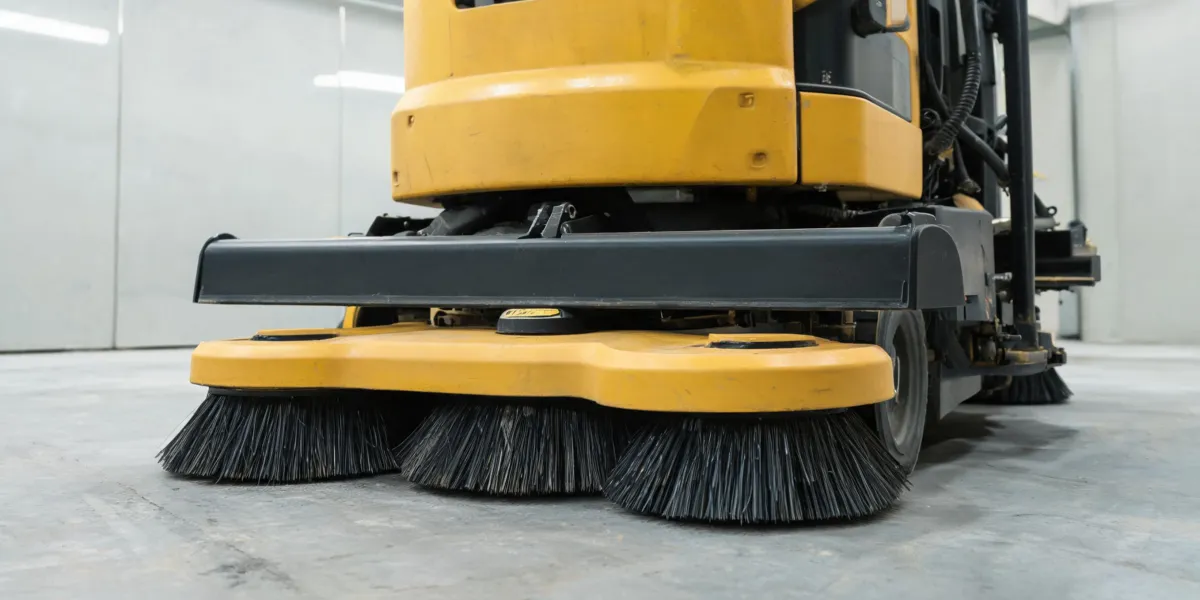
- Inspect the floor scrubber attachment. A misaligned squeegee, wrong brush, or clogged pad driver can trigger motor and vacuum codes. Remove it, clean it, reinstall it. If the code changes, you're on the right track.
- Load-test the battery. A battery that reads 24V at rest can drop under load. Test it while the brush or drive is engaged.
- Don't reset more than twice. If the code returns after two resets, stop. Record the conditions and call for service. Resetting clears the symptom, not the cause.
This sequence works for maybe 80% of the common error codes I see. The other 20% involve controller programming, wiring harness issues, or sensor failures that need a technician with a diagnostic tool. If you're in that 20%, don't keep throwing parts at it.
One more thing: if you're using a house floor scrubber for light cleaning, you may not need this level of troubleshooting. A house floor scrubber is designed for different duty cycles. The error codes and parts are usually simpler. But if you're running a Factory Cat MAG HD in a warehouse, the stakes are higher. The same code can mean a $200 fix or a $2,000 downtime event.
The bottom line
Factory Cat error codes are useful, but they're not a diagnosis. They're a starting point. The real problem is usually in the conditions: the attachment, the battery, the chemical mix, the operator technique, or the floor itself.
If you need same-day uptime, keep critical spares on hand—squeegee assemblies, brushes, and a known-good battery. If you're ordering parts, give the supplier the code and the conditions, not just the model. And if the code doesn't match the manual, don't force it. Get help.
That's the difference between fixing the machine and just clearing the code.

Leave a Reply